FountTUI
CATPPUCCIN MOCHA — RUST TUI

Blockbusters in Terminal.

A minimal, distraction-free Fountain screenplay editor built for writers who live in the terminal. Instant scene navigation, theme customization, and zero visual clutter.

Download FountTUI View GitHub Source
fount ~/screenplays/cyberpunk_heist.fountain
~/screenplays $ fount cyberpunk_heist.fountain
INT. CYBERPUNK CAFE - NIGHT
Rain beats against the neon window pane. KAI (30s), wearing a leather coat, stares into a glowing terminal buffer.
KAI
(without looking up)
"You're late. The deck is already encrypted."
NORMAL | UTF-8 | 1,420 Words | Scene 14/48 | Snapshots Active

Terminal Screenwriting Features

Engineered to disappear while you work. Click any screen recording to view full-size demo without scanlines.

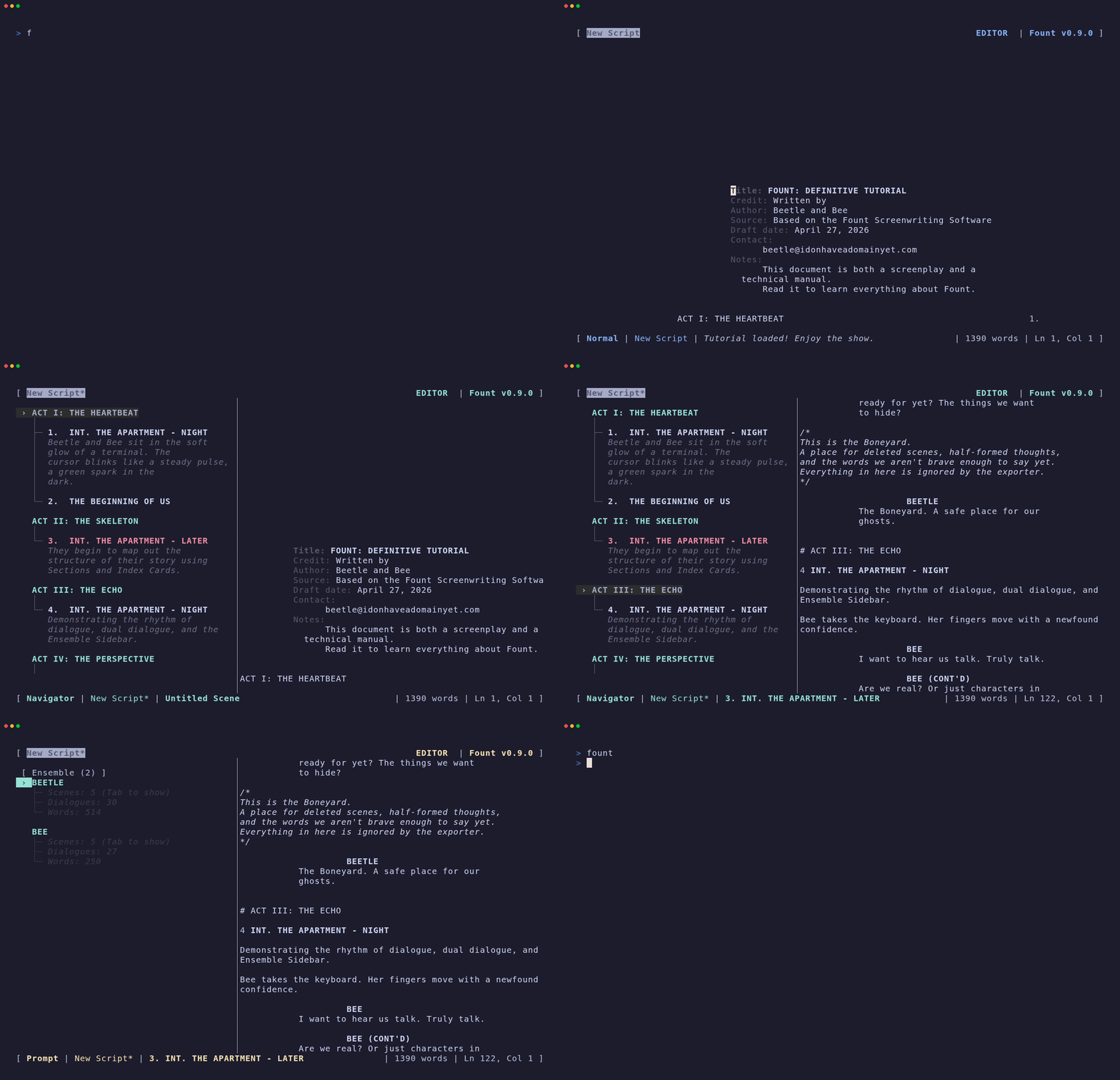
Scene Tree Navigation

Interactive tree-structured side-panel of scenes and sequences inside your screenplay. Jump across 100+ page screenplays instantly with single keypresses.

  • Instant live outline search filtering
  • 1-key jump between act structures and scenes
  • Foldable sequence sections and scene numbers
FountTUI Scene Tree Navigation Demo
Click to Enlarge
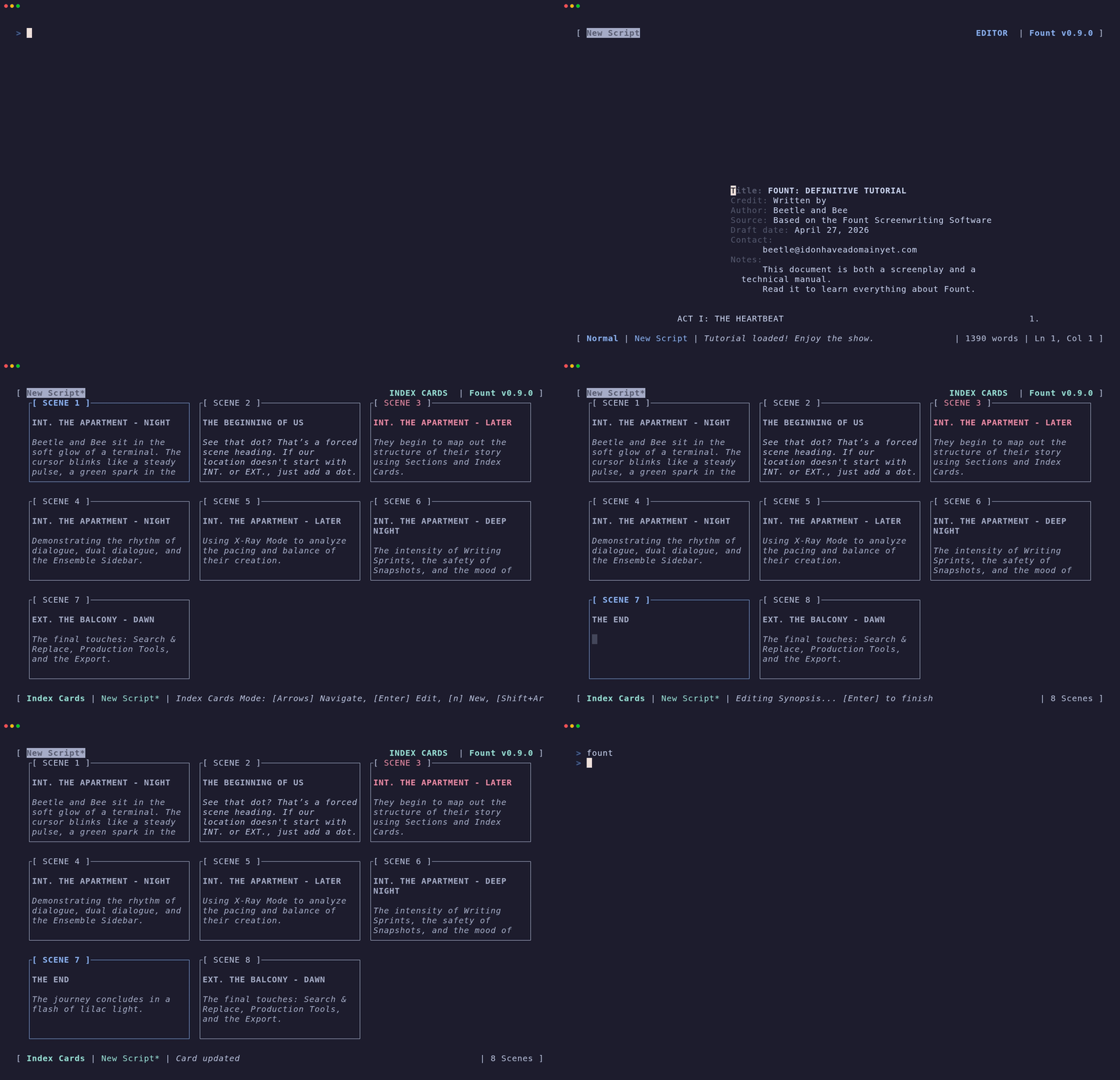
FountTUI Story Architect Index Cards Demo
Click to Enlarge

Story Architect (Index Cards)

Plot your story structure at a high level using grid-based index cards to organize, rearrange, and edit scene synopses with word wrapping.

  • Grid-based corkboard view inside terminal
  • Inline scene synopsis editing
  • Keyboard navigation across story beats

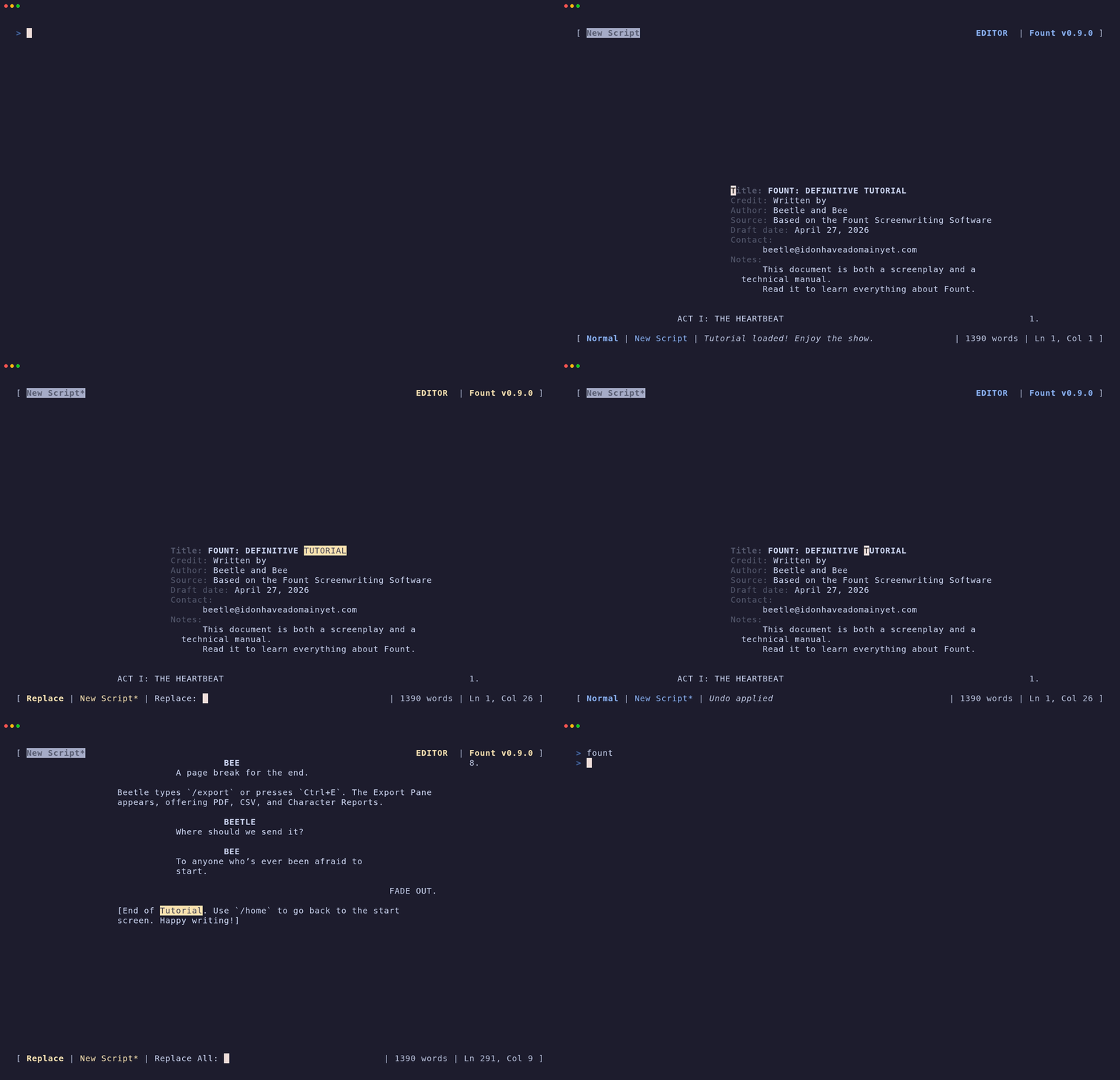
Search & Replace

Fast terminal search and replace with case sensitivity toggles, match counting, and inline scene context highlights.

  • Pattern matching and case-sensitive filters
  • Inline match highlighting with context preview
  • Global replace across script buffers
FountTUI Search & Replace Demo
Click to Enlarge
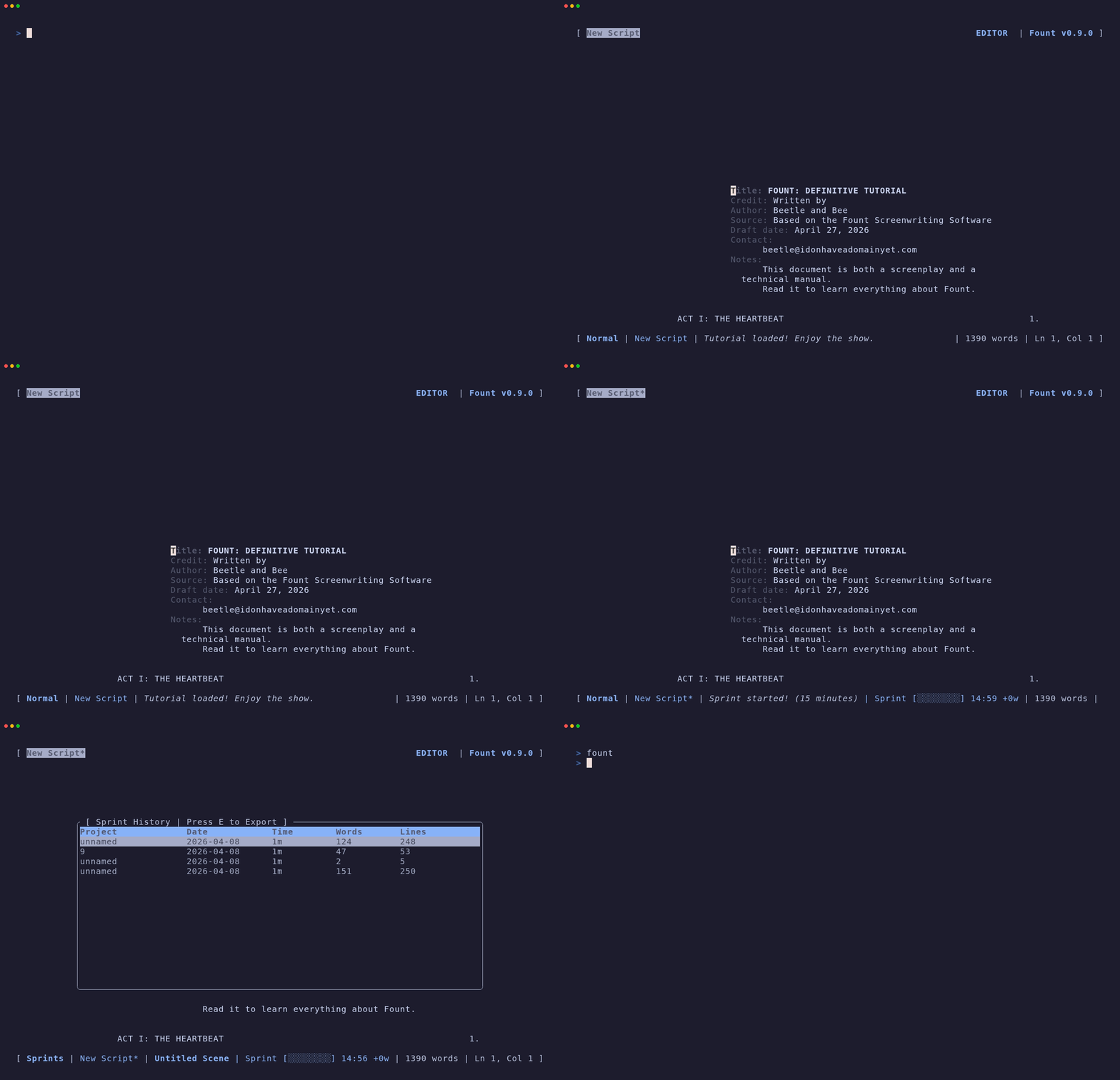
FountTUI Writing Sprint Timer Demo
Click to Enlarge

Writing Sprint Timer

Built-in countdown writing sprint timer tracking words per minute (WPM), net word count gains, and sprint history to boost writing momentum.

  • Customizable countdown sprint durations
  • Real-time WPM & net word count telemetry
  • Sprint session history logging

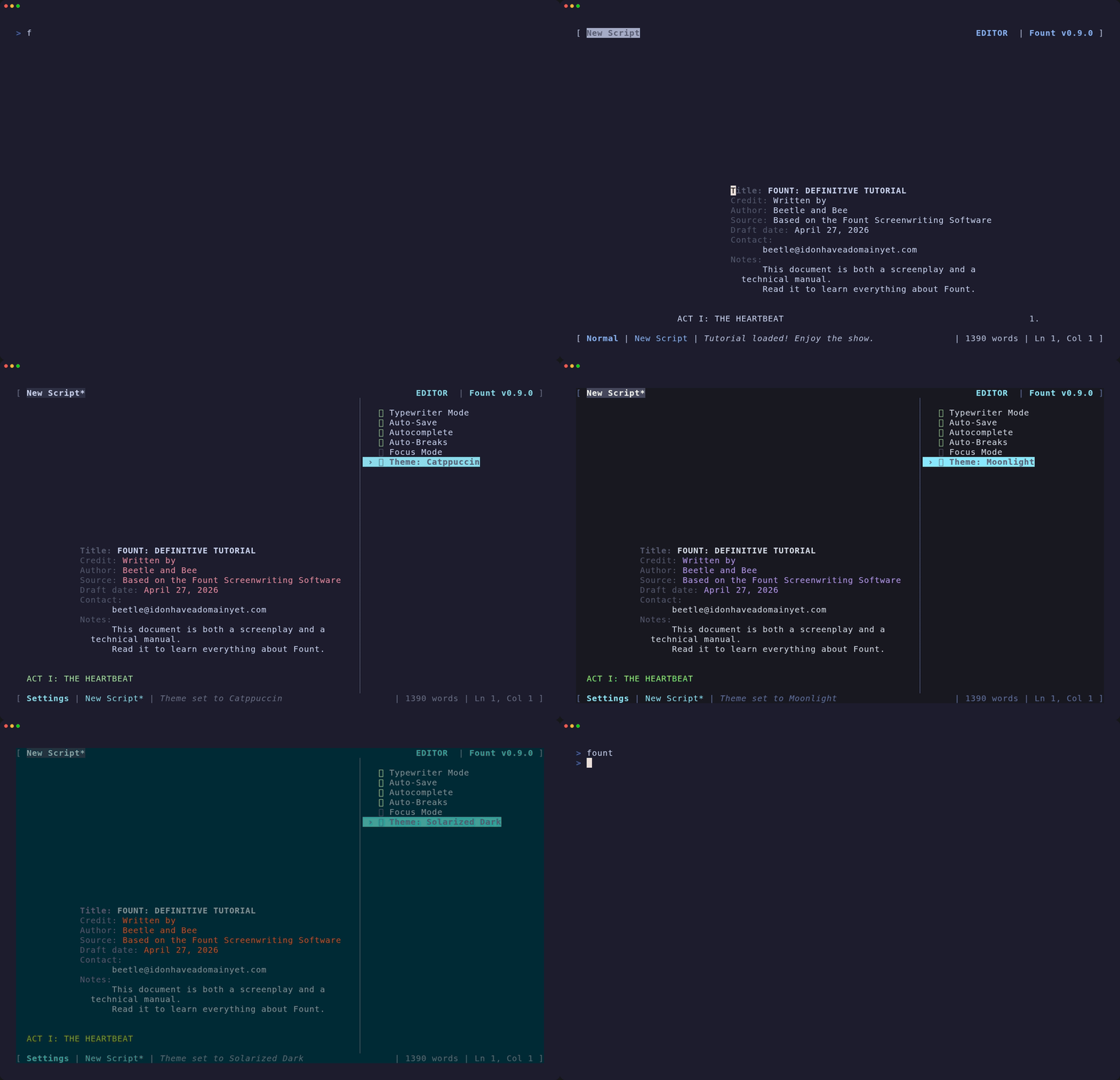
Catppuccin & Theme Switching

Switch on the fly between curated terminal themes including Catppuccin Mocha, Nord, Everforest, and Lilac to suit your writing mood.

  • Official Catppuccin Mocha palette built-in
  • Instant theme hot-reloading without restart
  • High-contrast terminal color schemes
FountTUI Theme Switching Demo
Click to Enlarge
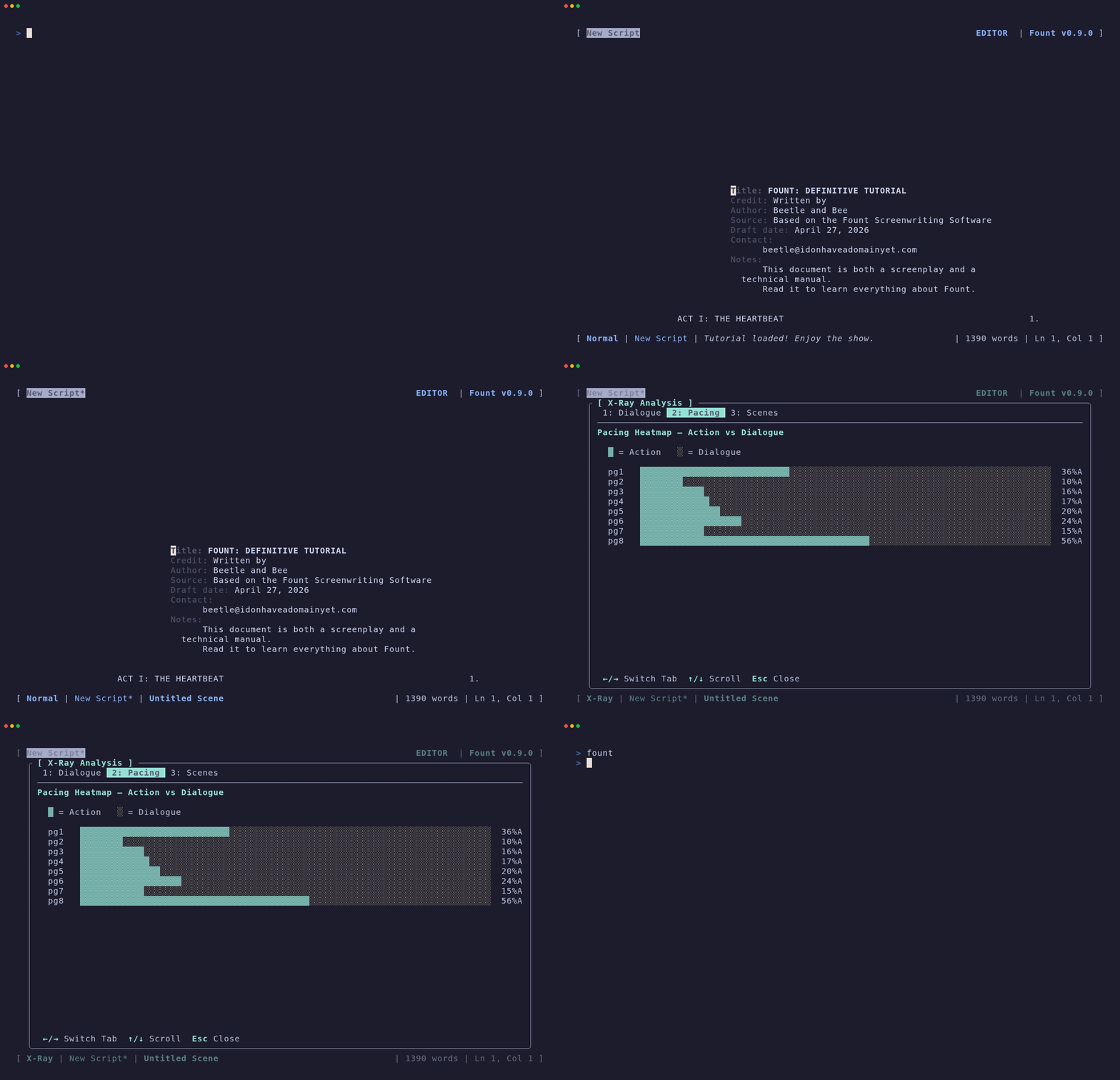
FountTUI Realtime X-Ray Analytics Demo
Click to Enlarge

Realtime X-Ray Analytics

Visualize your screenplay's pacing, character frequency, dialogue distribution, and scene length graphs in real time inside the terminal.

  • ASCII dialogue frequency charts
  • Character occurrence telemetry
  • Scene length distribution graphs

Story Structure Templates

Start your script with proven narrative frameworks. Import structure templates directly into your outline to map out story beats.

  • Save the Cat, Hero's Journey, & Three-Act Structure
  • John Truby's 7 Steps & Michael Hauge's 6 Stages
  • Instant structural act outline generation
[ ] [ Story Templates Placeholder ]
[ ] [ Automated Snapshots Placeholder ]

Automated Session Snapshots

FountTUI periodically saves background snapshots of your active buffer so your work remains safe from unexpected system shutdowns.

  • Silent background buffer snapshots
  • Snapshot manager for preview and recovery
  • Zero impact on typing speed

Screenplay Revision Tracking

Track draft revisions visually with margin indicators. See modified lines in real time and export revision marks to PDF format.

  • Toggleable revision tracking (`/revision on`)
  • Visual margin asterisk indicators for edited lines
  • Clean PDF export with revision marks
[ ] [ Revision Mode Placeholder ]

Essential Terminal Shortcuts

Scene Sidebar Ctrl + N
Index Cards Ctrl + I
Search & Replace Ctrl + F
X-Ray Analytics Ctrl + X
Writing Sprint Ctrl + T
Quick Help F1

A Letter from the Creator

"As a credited Tamil/Indian screenwriter—writing predominantly in English and Tanglish—I found myself at a crossroads when I transitioned to Linux. I deeply missed Beat, my long-time companion for storytelling, and couldn't find a minimalist alternative that felt 'right' in the terminal.

My search led me to Lottie, whose elegance immediately captivated me. I cloned the project and began shaping it into the tool I needed. Fount is the result of creative vision, open-source inspiration, and the intelligence of AI agents that helped me craft it. It is a tool I use daily, and I hope it serves you just as well."

Installation

Linux Terminal (Quick Install)

tar -xzf Fount-Linux-x64-*.tar.gz && sudo ./install.sh

Any Platform (via Cargo - Rust)

cargo install fount

Windows & macOS

Windows: Available directly on the Microsoft Store. macOS: Install via cargo install fount in any Truecolor terminal (Ghostty, iTerm2, Kitty).