
The screenplay studio
for modern writers.
A distraction-free, desktop-native screenplay workspace built for cinematic storytellers. Pure Fountain plain text, hierarchical outline navigation, X-Ray pacing analytics, and zero cloud lock-in.
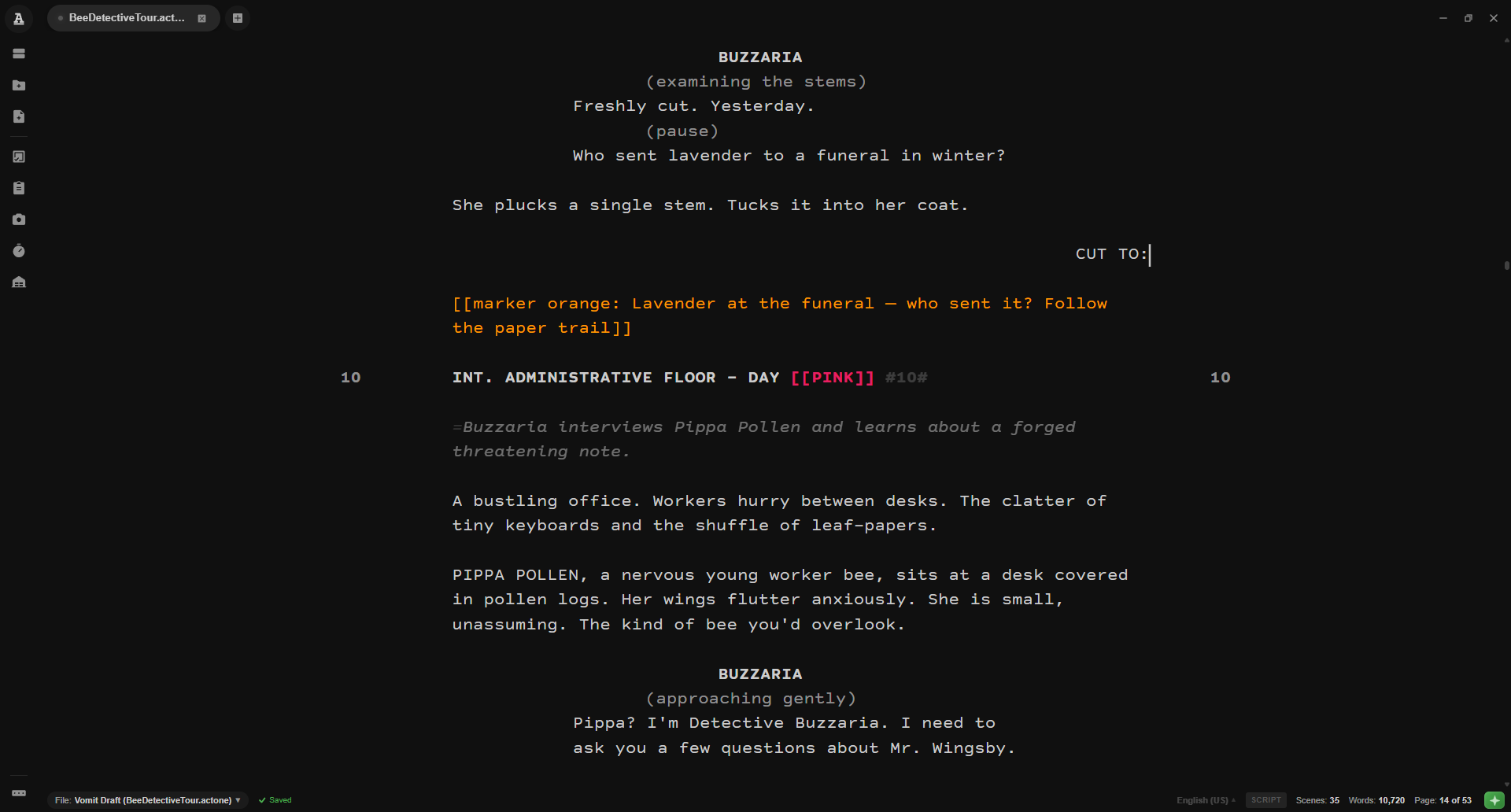
Authentic US Letter & A4 Paper Formatting
ActOne renders your screenplay in pixel-perfect Courier Prime on authentic US Letter or A4 manuscript paper with real-time Fountain syntax coloring. Write continuously without fiddling with margins.
- Intelligent Tab Cycling: Press Tab to cycle through character names, parentheticals, and scene headers automatically.
- Autocomplete Suggestions: Ghost-text autocompletion for recurring characters, locations, and transitions.
- Plain Text Portability: 100% Fountain plain text format. Git-diffable, future-proof, and open forever.
 Click to Zoom ⊕
Map your story from 30,000 feet
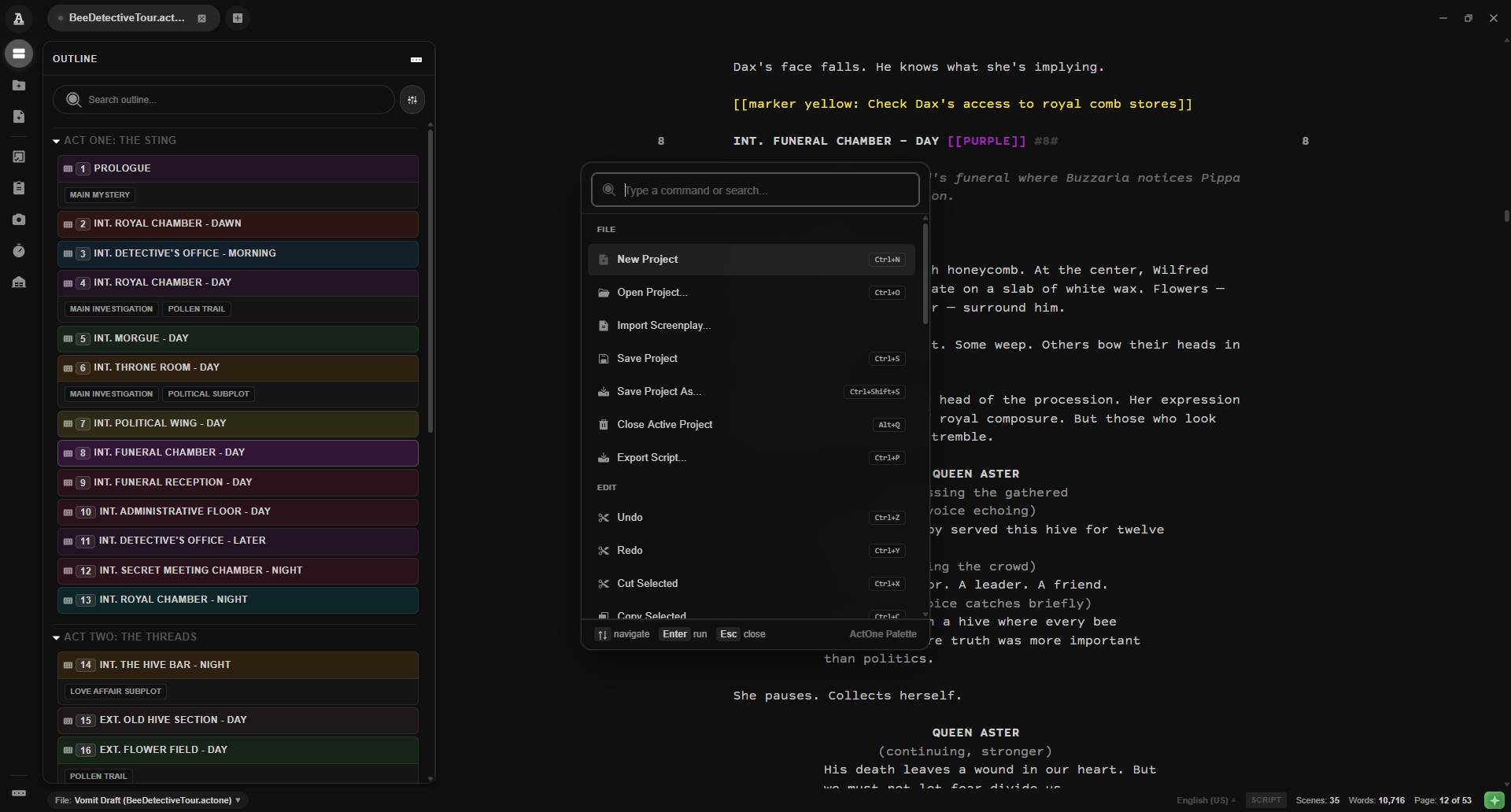
Instantly visualize three-act structure, scene headings, and beat synopses in an interactive collapsible tree. Jump across a 120-page screenplay with zero latency.
- Visual Scene Markers: Assign storyline color tags and plot arc badges to scenes.
- Synopses & Section Hierarchy: Collapse and reorder sections (`#`) and synopses (`=`) effortlessly.
- Contextual Scene Info: View estimated page length and character counts per scene.
 Click to Zoom ⊕
All your story collateral in one bundle
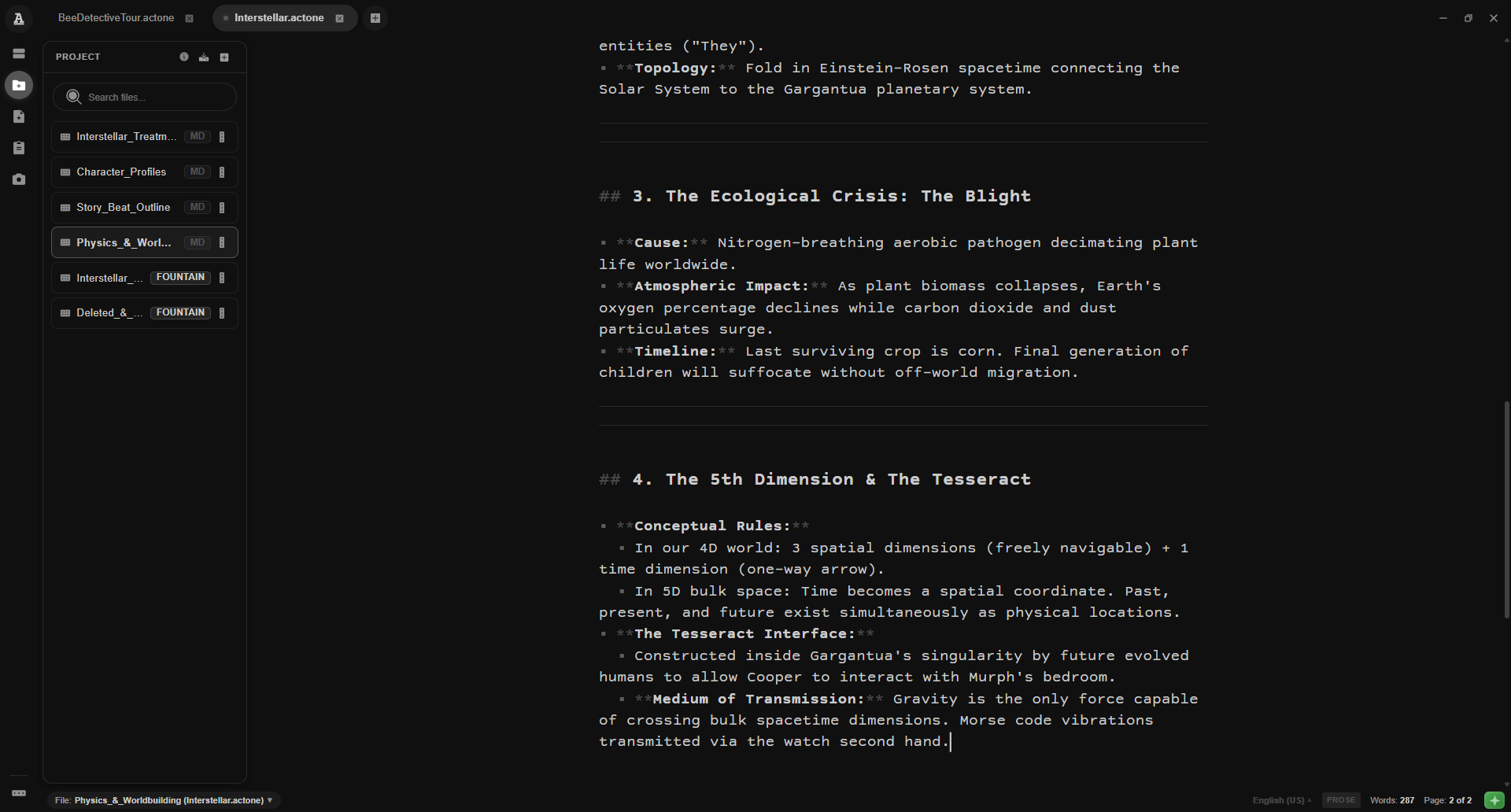
Store character bibles, treatments, draft revisions, and multiple screenplays together in a single unified project workspace.
- Markdown Prose Editor: Write outlines and treatments in clean Markdown right alongside your script.
- Multi-Script Project Suite: Keep shooting drafts, alt scenes, and pitch notes organized.
- Automated Local Snapshots: Time-stamped interval backups keep track of your full revision history.
 Click to Zoom ⊕
Structural rhythm and pacing diagnostics
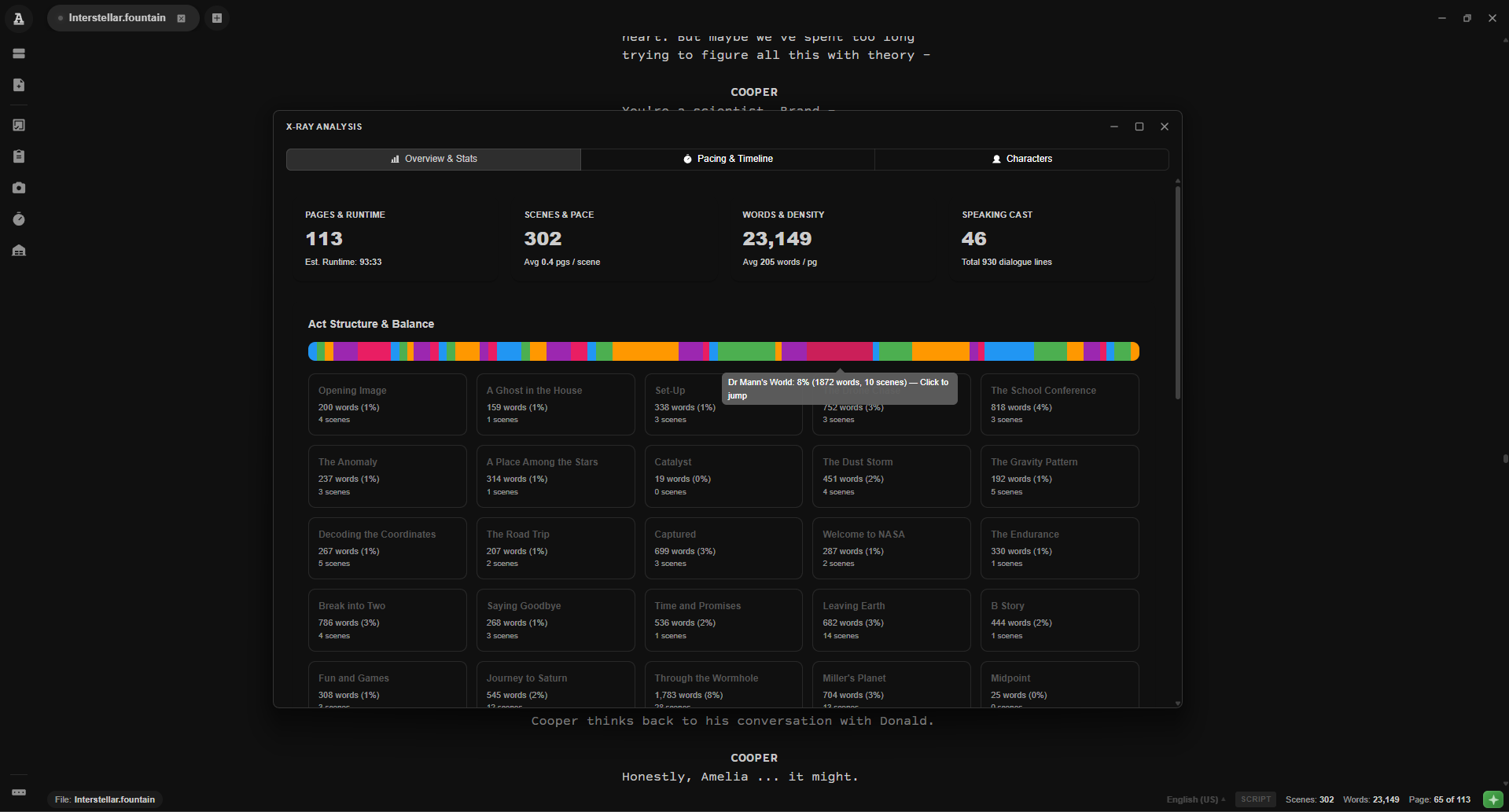
Gain deep insight into your story's dramatic pulse. X-Ray visualizes dialogue vs. action density, tracks character dialogue presence, and computes screen runtime.
- Pacing Density Histogram: Track dialogue vs. action balance across all three acts.
- Character Dialogue Distribution: Analyze character speaking frequency and scene dialogue breakdown.
- Page-to-Minute Timing: Industry standard timing algorithms estimate screen duration accurately.
 Click to Zoom ⊕
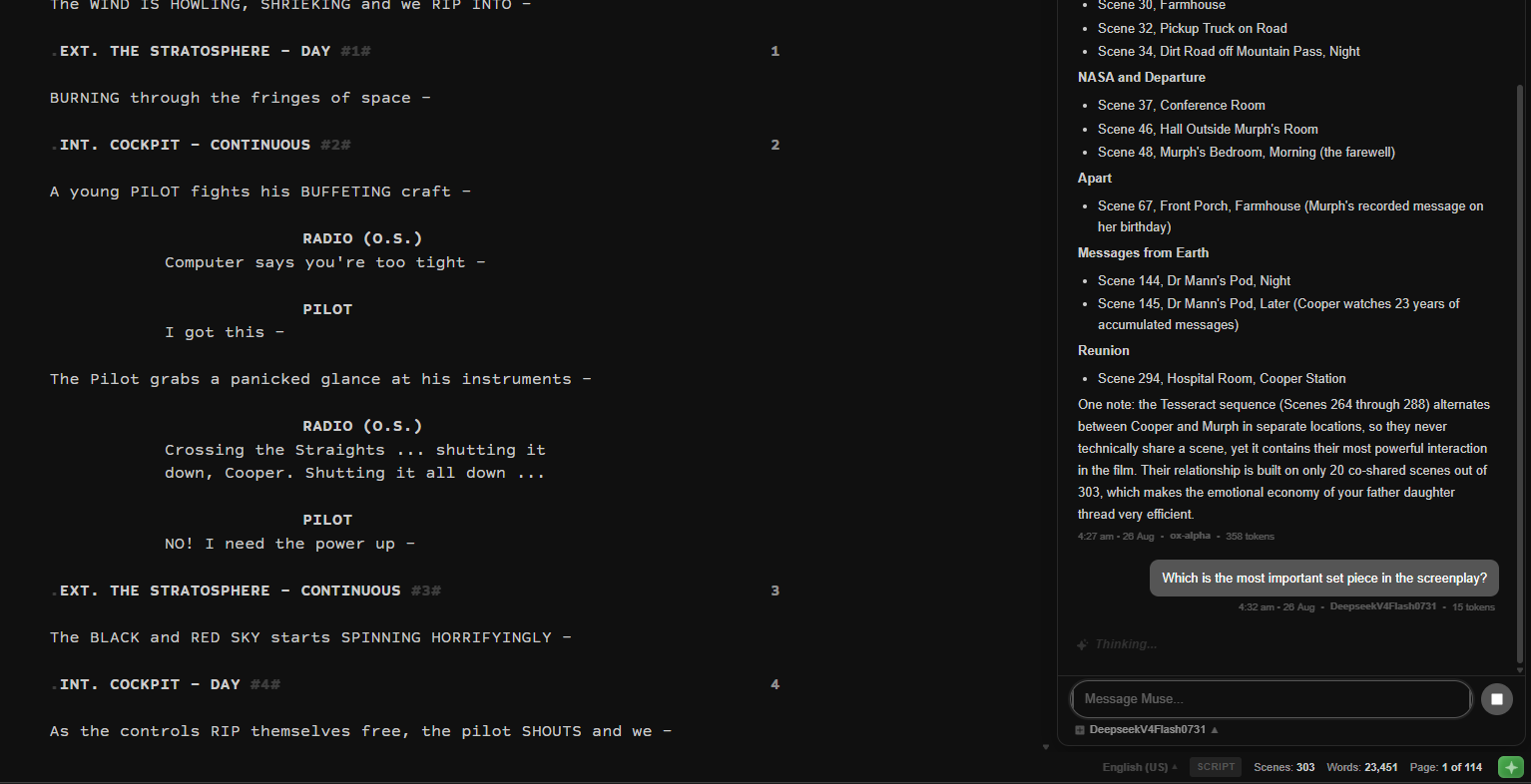
Brainstorm dialogue with total privacy control
Brainstorm character backstory, generate dialogue variants, or analyze narrative beats using local offline models or your own custom API keys.
- Flexible Backends: Connect to local Ollama / LM Studio instances or your own API keys.
- Scene Context Awareness: Muse analyzes active characters, beat synopses, and dramatic tone.
- Private by Design: Run local models 100% offline with zero data leaving your machine.
 Click to Zoom ⊕
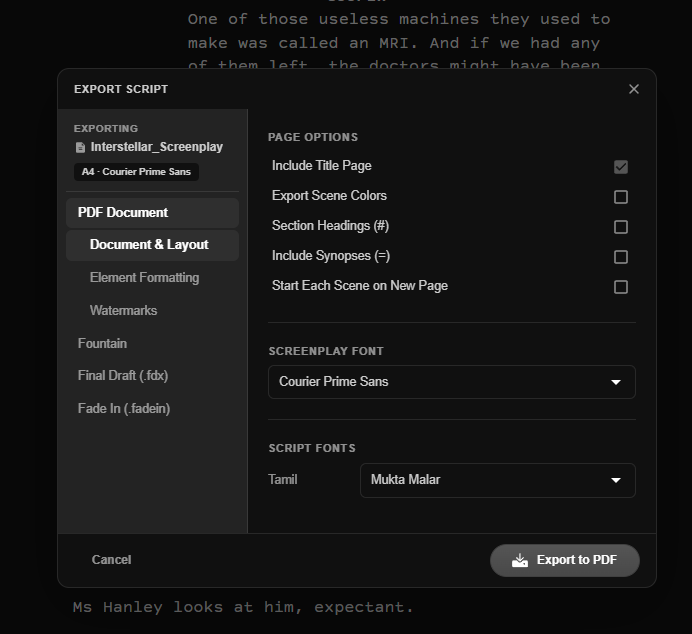
Pixel-perfect industry exports
Export studio-ready PDFs with title pages, header watermarks, and scene numbers, or round-trip Final Draft (.fdx) files for seamless collaboration with producers and production crews.
- Native PDF Engine: Generates industry-standard PDFs with exact typography and margins.
- Final Draft (.fdx) Compatibility: Full two-way support for industry production workflows.
- Breakdown Tagging: Tag props, wardrobe, stunts, and VFX directly in your script.
 Click to Zoom ⊕
Distraction-Free Sanctuary
No subscriptions, no mandatory sign-ins, no online sync dependencies. ActOne runs 100% locally on your machine at native speed.
Your Words Are Yours
Every word you write is stored on your local disk in standard Fountain plain text. Zero cloud tracking, zero AI model harvesting.
Built with Transparency
ActOne is completely open-source under permissive licensing. Inspect the code, contribute features, and build on a studio tool you own forever.
Join the Writers & Filmmakers Circle
A welcoming community to discuss screenwriting craft, analyze classic and modern cinema, exchange notes on drafts, propose app features, and collaborate with fellow storytellers.
Break down scripts, discuss three-act structure, pacing, dialogue, and your favorite films.
Share workflow suggestions, report edge cases, and help shape upcoming ActOne features.
Share scene excerpts, brainstorm story roadblocks, and celebrate finished drafts.
Chat directly with the developers behind ActOne, FountTUI, and the iyal.ink ecosystem.